How IM+CANS batch export works, and why double entry isn't required
 Jana Hindiyeh5 min read
Getting a completed IM+CANS assessment into Illinois HFS's provider portal does not have to mean retyping the same client's data a second time. HFS's portal accepts a bulk upload of completed assessments, and Oasys supports that bulk upload directly from a completed, signed IM+CANS, batching up to 50 assessments into one export so an admin uploads one file instead of one row per client.
Why this question matters now
The double-entry problem is the single most common complaint we hear from Illinois practices doing IM+CANS on a system that was not built for it: a clinician completes the assessment in the EHR, and then an admin opens HFS's portal and re-enters the same fields by hand, once per client, because the two systems have never talked to each other. One practice we worked with was doing this across two separate screens for every client before switching.
One clinician at a practice we built this for put it plainly:
Doing IM+CANS took several platforms and never spoke to our EHR. The benefit of having both in one system is that you can get an actual holistic view of both your care and compliance postures on a client-to-client basis.
That gap is not HFS's fault; the department built a real bulk-upload tool. It is a gap in what most EHRs export. This post walks through what the batch process actually requires, and where Oasys closes the gap versus where no EHR, including Oasys, currently can.
What does HFS actually require for submission?
HFS requires completed IM+CANS data to reach its provider portal within 10 business days of the date the assessment was completed or updated, per the department's own provider portal guidance. The portal supports both single-record entry and a bulk upload, and the bulk upload is the only version worth using past a handful of clients.
Oasys tracks the 10-business-day clock the same way it tracks the 180-day reassessment clock: against the date the assessment was actually completed and signed, not the date someone remembers to check. A compliance view sorted by how overdue a submission is turns a deadline a practice could miss into a queue an admin works down in order.
What does the batch export actually need to contain?
HFS's bulk upload expects a file matching the state's own format, not a generic export: the same information a clinician entered on the assessment itself, structured so the portal's importer can read it without manual re-keying, including identifying information tied to each client, the diagnosis codes recorded on the assessment, the relevant dates, and the assessment type (initial, reassessment, or update).
Oasys builds that batch export directly from a completed, signed IM+CANS, mapping close to 700 form fields, across the roughly 58 sections that make up the instrument including its embedded treatment-plan section, into the exact structure HFS's importer expects, and validating the required fields before the export is generated rather than after HFS rejects it. Oasys caps each export at 50 assessments per file, matching HFS's own batch limit, so an admin exporting a date range with 120 completed assessments gets three files, not one broken one.
Where does the manual step still sit?
The manual step that remains, in Oasys and in every EHR we're aware of, is the upload itself: an admin takes the exported batch file to HFS's portal and uploads it there. No EHR has a direct API or SFTP connection into that state system today.
What Oasys removes is everything before that upload: the re-keying of client data, the manual field mapping, and the guesswork about whether a given code pairing or date will pass HFS's validation. The honest way to describe this is that Oasys builds the export correctly the first time; HFS still owns the last click.
What goes wrong when a practice does this by hand?
The most common failure we've seen is not a rejected file. It is a practice quietly falling behind the 10-business-day window because entering client data twice does not scale past a handful of assessments a week, so the state-portal step gets batched into a monthly catch-up instead of happening as each assessment is signed.
Oasys's compliance tracker separates clinician-signed, supervisor-signed (or not applicable), and patient-signed status from the separate question of whether the completed assessment has actually been exported and submitted to the state, so a practice can see submission lag as its own queue rather than discovering it inside a denied claim.
The practical shape of getting submission right
Bulk upload is not a state feature Oasys turned on. It is Oasys mapping close to 700 fields into the exact structure HFS's importer expects, capping files at the state's own 50-document limit, and validating the fields HFS will check, so the file an admin uploads passes on the first try. The upload itself stays with HFS. Everything that used to be double entry does not have to be.
FAQ
Can IM+CANS be submitted to Illinois HFS in batches instead of one at a time?
Yes. HFS's provider portal supports a bulk upload of up to 50 assessments per file. Oasys generates that export directly from completed, signed IM+CANS assessments, formatted to match what HFS's portal expects.
Does Oasys support bulk upload for Illinois Medicaid assessments?
Yes. Oasys batches up to 50 completed IM+CANS assessments into a single export formatted to HFS's requirements, so an admin uploads one file per date range instead of one record at a time.
Does Oasys submit IM+CANS to the state portal automatically?
No. Oasys builds the batch export; an admin still uploads that file to HFS's portal directly. That upload step is manual in every EHR we're aware of, not unique to Oasys.
How long does a practice have to submit a completed IM+CANS?
HFS requires the data to reach its provider portal within 10 business days of the date the assessment was completed or updated. Oasys tracks that window against the actual completion date, not a manually logged reminder.
Why does double data entry happen with IM+CANS in the first place?
Because most EHRs export nothing HFS's portal can import directly, so an admin re-enters each client's data by hand on the state site. Oasys avoids that by supporting bulk upload in a format that matches what HFS's portal expects, so the manual work drops from one entry per client to one upload per date range.
Ten business days is not a long window once entry is manual. Batching the export is what makes the window survivable.
Related articles
Our Clinicians Are Burning Out on Documentation: What Actually Fixes It
Documentation burnout is not solved by writing faster. It is solved by closing the gap between the session and the note, and the backlog that gap creates.

SOAP Notes vs DAP Notes: Which Should You Use?
DAP is SOAP with the Subjective and Objective sections merged into one. The real question is which format fits how you think through a session.
How Does Wearable Data Help Clinicians Track Treatment Progress Between Sessions?
Most of what a clinician knows about a client's week comes from memory, reconstructed at the next session. Wearable data replaces that reconstruction with a pattern.
Which Behavioral Health EHRs Integrate With Wearables?
Ask most behavioral health EHRs whether they integrate with wearables and the honest answer is no. Here is what real integration looks like where it exists.
Best Billing Software for Behavioral Health Practices (2026)
The best billing software for a behavioral health practice is judged by what happens after a claim is submitted, not before. A guide to eligibility, denials, and real cost.
Should a Group Practice Buy a Standalone AI Scribe or an EHR With AI Built In?
A standalone scribe adds a second vendor touching every session. An EHR with AI built in keeps the note, the chart, and the claim in one system.
How Group Therapy Practices Reduce Insurance Claim Denials
Most denials are not random payer behavior. They trace back to a handful of preventable causes, and each one has a specific, checkable fix.
Best Practice Management Software for Therapists (2026)
The best practice management software for therapists depends on clinician count, not features on a marketing page. A guide to what actually separates the options at each stage.
Can AI Write Therapy Notes That Hold Up to an Insurance Audit?
An auditor does not check whether AI wrote a note. They check whether a clinician actually reviewed it, signed it, and whether it supports the billed code.
Does Your EHR Track Supervision Hours Toward Licensure?
No. Your EHR almost certainly does not accumulate supervision hours toward a licensing board, and Oasys does not either.
HIPAA Compliant Therapy Platform: What to Actually Verify (2026)
"HIPAA compliant" is not a certification a vendor earns once. It is a signed BAA plus specific, checkable safeguards. Here is what to actually verify before you sign.
Superbills for Therapists: What They Are and When to Use One
A superbill is an itemized receipt a client submits to their own insurer for reimbursement. Here is what has to be on one, and when a practice needs them at all.
Individual Therapy Billing: CPT 90837, 90834, and 90832 Explained
CPT 90837 covers individual psychotherapy of 53 minutes or more. Here is how it differs from 90834 and 90832, and why 90837 draws more payer scrutiny than either.
TheraNest vs SimplePractice: Which Is Better for Your Practice?
TheraNest prices on active clients rather than seats, which suits fluctuating caseloads. Plus a migration warning worth reading before you commit.
How IM+CANS batch export works, and why double entry isn't required
Getting a completed IM+CANS assessment into Illinois HFS's provider portal does not have to mean retyping the same client's data a second time.
Best EHR for IM+CANS (IMCANS) in Illinois (2026): what actually matters
The best IMCANS EHR is not the one with an IM+CANS-shaped form. It is the one that treats IM+CANS as five separate problems stacked together: the roughly 700-field instrument…
What IM+CANS (IMCANS) actually requires from an Illinois practice
IM+CANS is not optional paperwork. It is the single instrument the Illinois Department of Healthcare and Family Services (HFS) designated for Integrated Assessment and Treatment…
How to Grow a Group Therapy Practice From 5 to 25 Clinicians Without It Breaking
The practice does not break from headcount. It breaks from the workflows that were fine at 5 clinicians and were never redesigned for 15 or 25.
Credentialing vs. Payer Enrollment vs. Clearinghouse Enrollment: Why They're Not the Same
Credentialing, payer enrollment, and clearinghouse enrollment are three separate steps that happen in sequence, not one process with three names.
The Weekly KPIs a Group Therapy Practice Owner Should Actually Watch
A group therapy practice owner should watch four numbers every week: utilization, no-show rate, caseload per clinician, and billing health.

TheraPlatform vs SimplePractice: Which Suits Your Practice?
TheraPlatform was built around teletherapy rather than retrofitted for it. Whether that is worth it comes down to one number, your virtual share.
TheraNest Reviews: What Therapists Actually Say
Active-client pricing makes TheraNest cheaper for variable caseloads. Reviews are solid on function, softer on polish, and mixed on migration.
Sessions Health Reviews: What Therapists Actually Say
Reviewers consistently praise price, simplicity and support. The one consistent criticism is reporting, and whether that matters depends on your size.
Jane App Reviews: What Therapists Actually Say
Praise concentrates on scheduling and running a mixed clinic from one system. Criticism concentrates on mental health depth and treatment plans.
Sessions Health vs SimplePractice: A Practical Comparison
Sessions Health is the better value for small practices, with free admin seats and no feature gating. The trade-off is reporting depth.

Jane App vs SimplePractice: Which Fits a Therapy Practice?
Jane wins on scheduling and multi-disciplinary clinics. SimplePractice wins on therapy-specific depth. The treatment-plan gap decides most of it.
Oasys vs TherapyNotes: Which Is Better for a Group Practice?
TherapyNotes is genuinely well built. Here is where it stops fitting a growing group practice, and what the per-transaction fees really add up to.
Oasys vs SimplePractice: Which Is Better for a Group Practice?
A straight comparison for practices with five or more clinicians, covering supervision, permissions, payroll and what switching actually involves.
SimplePractice Reviews: What Practices Actually Say in 2026
SimplePractice is excellent for solo therapists and strains for group practices. What practices praise, what they criticise, and where the line falls.

SimplePractice vs TherapyNotes: An Honest Comparison for 2026
Two good products that break in the same place. An honest comparison of pricing, supervision and billing, with our own stake clearly labelled.
SimplePractice Alternatives for Group Practices
Why group practices outgrow SimplePractice, what the realistic alternatives are, and how to move eight years of records without breaking the practice.
What SimplePractice and TherapyNotes Actually Cost a Group Practice
The subscription is the smallest part of the bill. What group practices actually pay once per-claim fees, text charges and workarounds are counted.
Best EHR for Group Therapy Practices (2026)
Group practices break in predictable places as they grow. A ranked guide organised around what fails at five, fifteen and thirty clinicians.
Mental Health EHRs: The Complete Comparison Guide (2026)
There is no best mental health EHR, only a best one for your size. A guide organised by practice size, with five tests demos are not designed for.
Mental Health EHR Requirements: What to Actually Demand
The requirements that actually matter, grouped by what breaks at five, fifteen and thirty clinicians, plus a ten-item checklist to run live in a demo.
Mental Health Treatment Plan Examples
The four parts of a usable plan, worked examples for anxiety, depression, trauma and substance use, and the goal formula that makes progress notes write themselves.
Group Therapy Billing: CPT 90853, 90847, and 90846 Explained
CPT 90853, 90847 and 90846 explained, plus the five-minute test that shows whether your EHR can actually bill a group session without manual work.
DAP Notes: Format, Examples, and When to Use Them
Data, Assessment, Plan. A worked example, how DAP compares with SOAP and BIRP, and the mistakes that make notes fail during a payer audit.
SOAP Notes: Format, Examples, and How to Write Them Faster
The four sections, a worked example with a real assessment, and why notes take so long. Hint: it is almost never the template that slows you down.
How Tate Psychotherapy left SimplePractice without missing a session
How a solo NYC psychotherapy practice switched from SimplePractice with zero missed sessions, then put notes and billing on autopilot with Oasys.
How SoCal Soul launched a fully equipped practice from day one
How a two-clinician startup launched with Oasys' Managed RCM handling all billing, and wearable health data built into the client record from day one.
How Lowry Hill got an EMR shaped around how its clinicians actually work
How an eclectic group practice moved off TheraNest, kept billing in-house on Oasys, and got custom workflows, AI documentation, and fast support.
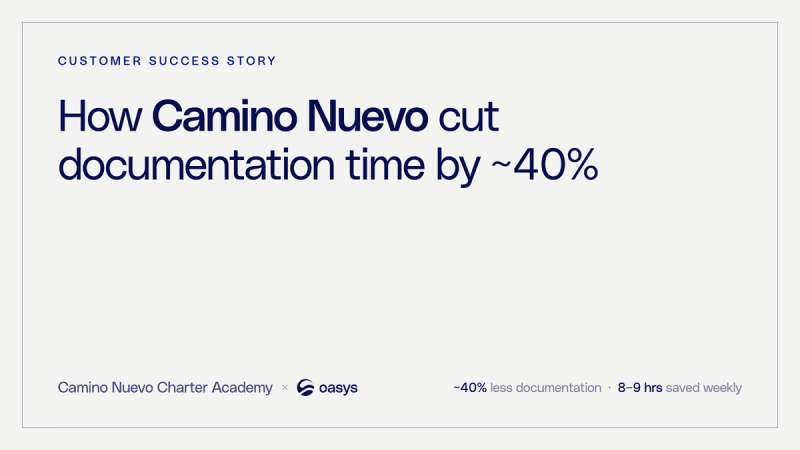
How Camino Nuevo cut documentation time by ~40% with Oasys
How a school-based mental health program cut documentation time ~40%, saved clinicians 8–9 hours a week, and fully onboarded in under one week.

Is it actually safe to use AI for therapy notes?
AI therapy notes can be HIPAA compliant, but safety depends on the tool, not the category. Here are three facts to verify with any vendor.

What actually goes wrong when therapy practices switch EHRs
EHR migrations fail before the data moves. Here's what actually breaks — consent gates, lost calendars, flattened notes — and how to clear it.

Own your brand vs. rent a network: the real economics
Therapy networks take 20–30% of billing revenue, per session, indefinitely. Here's how to decide when to rent a network and when to own your brand.
The group-practice scaling wall: what breaks at 5, 15, and 30 clinicians
Solo-built EHRs break at predictable thresholds. Here's what fails at 5, 15, and 30 clinicians — and the architecture gaps behind it.

Documentation burden in behavioral health: the hidden cost of manual notes
Manual therapy notes cost clinicians 6–8 unbillable hours every week. Here's what documentation burden actually costs your practice.